
Goal
Create a dynamic device group in Microsoft Entra ID named All Windows 11 Devices.
Create the new group
In the Microsoft Entra admin center, go to:
- Groups
- All groups
- New group
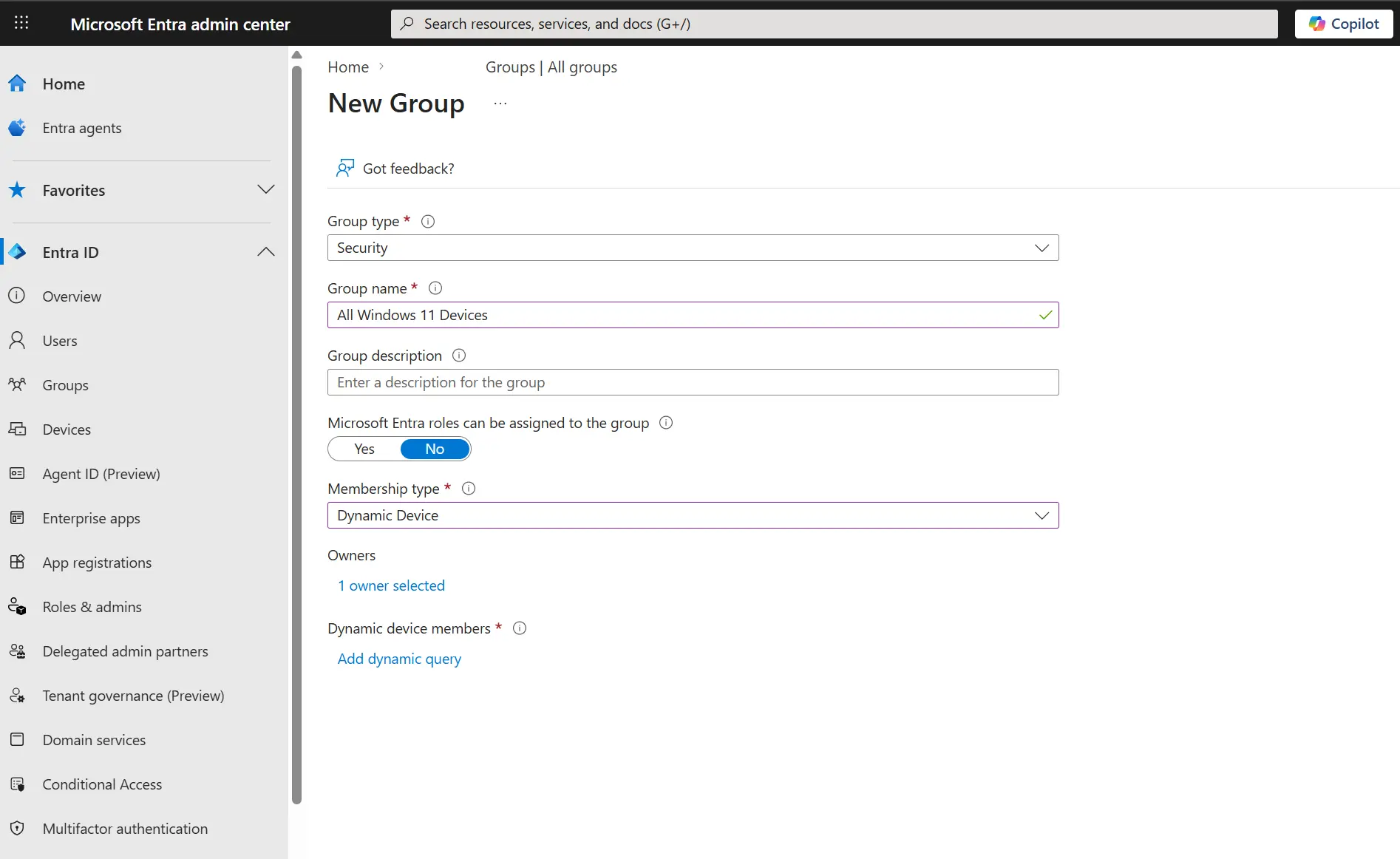
Then set:
- Group type -> Security
- Group name -> All Windows 11 Devices
- Membership type -> Dynamic Device
Image - new group creation page
Add the dynamic membership rule
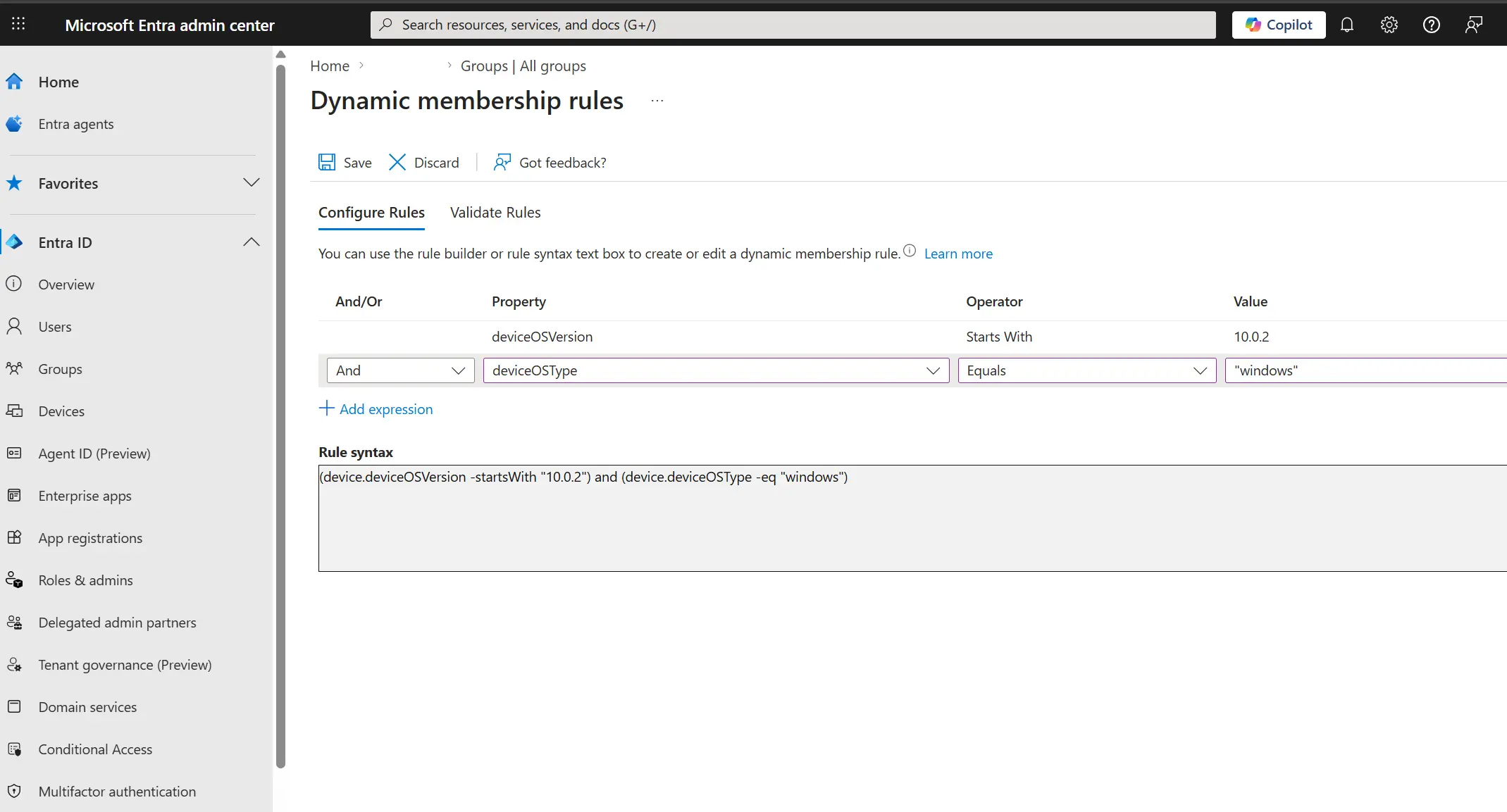
Open Dynamic membership rules and use this rule logic:
(device.deviceOSVersion -startsWith "10.0.2") and (device.deviceOSType -eq "Windows")This matches Windows devices where the OS version begins with 10.0.2.
Image - dynamic membership rules
Validate the rule
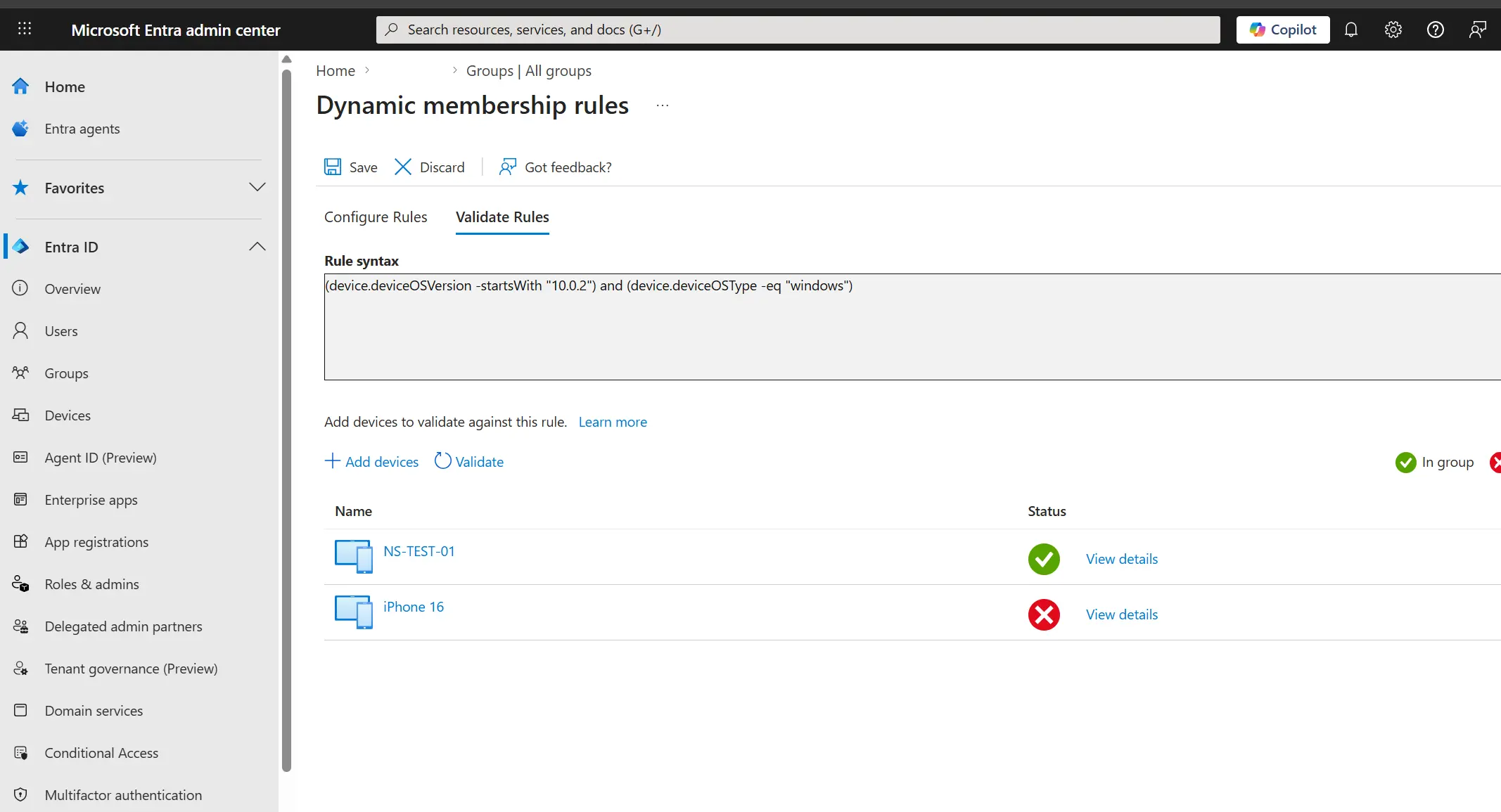
Use Validate Rules and test with:
- A Windows 11 PC (should match)
- An iPhone (should not match)
Confirm the evaluation result before saving the group.
Image - validate rules with Windows 11 PC and iPhone
Result
After saving, the All Windows 11 Devices group will automatically maintain membership based on your dynamic rule.