Stop Azure AD users becoming local administrators on Entra-joined devices

Cloud & Azure | Published 2026-04-14 | By NetCollege Team

Summary: Prevent standard users from being added as local admins during Microsoft Entra join by changing the device settings policy.

Why this happens

By default, users who join a Windows device to Microsoft Entra ID (Azure AD) can be granted local administrator rights on that device.

In many environments, this is not desired because it increases endpoint risk and reduces control.


How to stop it

In the Microsoft Entra admin center, go to:

  • Devices
  • Device settings

Then set:

  • Registering user is added as local administrator on the device during Microsoft Entra join -> None

You can also choose Selected if you want only specific users to receive local admin rights during join.


Visual reference
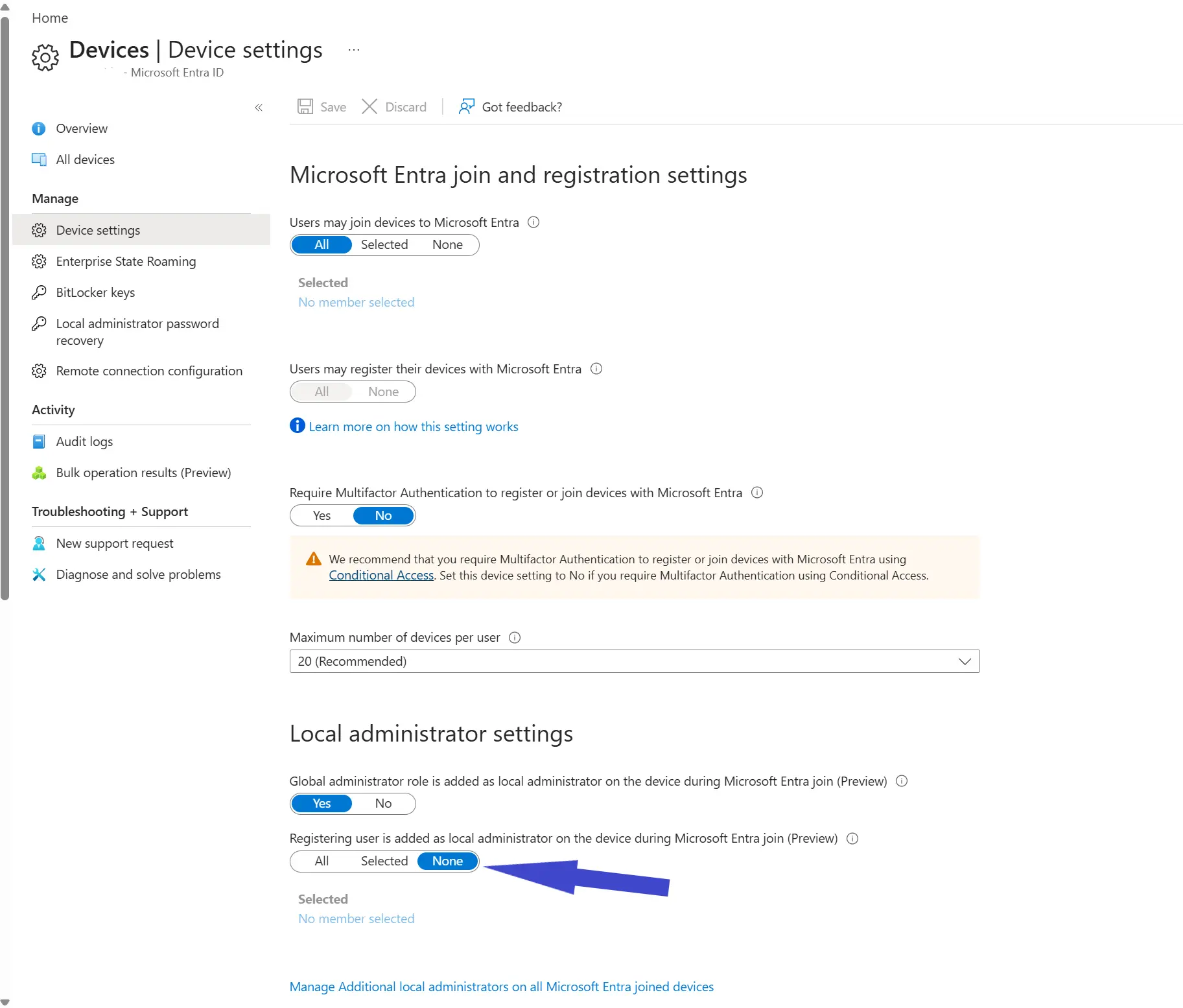
Microsoft Entra device setting to stop registering users becoming local administrators


Recommendation

Set this to None as your default baseline, and use endpoint privilege management or controlled local admin assignment for exceptions instead of broad default admin rights.

Frequently asked questions

Why are Entra-joined users local admins by default in some tenants?

Microsoft Entra device settings can allow registering users to become local administrators during join unless this is restricted.

What is the recommended baseline for this setting?

Set the option to None for most organizations, then use controlled exception processes for users who truly need elevated rights.

Does changing this setting affect devices already joined?

It primarily affects future join behavior. Existing devices may need separate remediation to remove unintended local admin memberships.

← Back to category